
Manual
Service
Everything after the sale: installation, training, servicing, parts and round-the-clock remote support, plus manuals and quick guides for your machine.
Installation
Your machine positioned, levelled and commissioned by our engineers, ready to cut.
Training
Operator and programming training on your own machine, for new starters and experienced machinists.
Servicing
Planned servicing in four tiers, matched to your machine, with remote diagnostics in between.
Wear and replacement parts
Genuine parts for MACH machines, supplied quickly to keep downtime short.
24/7 remote help and support
Every DynaPath-controlled machine connects to our technical help desk over Wi-Fi, free for the life of the machine. Most issues are diagnosed and solved remotely, often within 24 hours.
How remote support works
Remote support: help at the machine when something goes wrong
You don't have to wait for an engineer to travel. Every DynaPath-controlled MACH machine connects to our technical help desk through the control's built-in Wi-Fi, so our engineers can see the machine, find the problem and usually fix it with you there and then.
Free for the life of the machine · 24/7
What happens when you call
- 01
Get in touch
Call or email your MACH office or your local distributor. Tell us the machine, its serial number and what's happening.
- 02
We connect
Our help desk connects to the control over Wi-Fi. There's no extra hardware to buy and nothing to install.
- 03
We diagnose
Working with DynaPath's applications team, our engineers see what you see and diagnose, monitor and troubleshoot the machine.
- 04
We resolve
Most issues are solved remotely. If a visit is needed, the fault is diagnosed first, so one visit is usually enough.
What we can help with remotely
Alarms and faults
Find out what an alarm or fault means and get the machine running again.
Programming
Help with conversational and G-code programs on the DynaPath control.
Training
Operator and programming training delivered straight to the machine.
Applications support
Advice on setting up and running your parts.
Before you call
- The machine model and serial number
- The alarm number or message on the control, or a photo of the screen
- What the machine was doing when the problem started
- The machine switched on and connected to your Wi-Fi
Manual and workshop machines don't have the remote connection, but our engineers are still a call away: we'll talk you through it or arrange a visit.
Need help now?
Speak to our help desk, or email the details and we'll come back to you.
[email protected][email protected][email protected]Ask for a Remote Assist demonstrationService plans
Four service tiers, matched to the type of machine. Choose the tier for your machine and make an enquiry, and we'll send you a quotation.
MACH Service A
Up to 1 hour per machineSmall workshop machines, such as saws and drills.
What's included
- Service kit with cleaning equipment
- Oil and grease top-up
Optional extras
- Guide bush and blade bearing replacement
- Blade replacement
Safety checks
- Emergency stop, start and stop buttons tested
- Blade guard, chuck guard and interlocks tested
- Electrical wiring checked for damaged or broken cable
- Faults reported by the operator checked and recorded
Accuracy and adjustment
- Cutting squareness checked (saws)
- Blade guides checked and adjusted (saws)
- Quill and quill lock checked and oiled (drills)
Make enquirySee the full service checklist
Drive and mechanical
- Blade condition checked
- Gearbox oil level checked
- Drive belts inspected
- Motor and gearbox checked for noise
- Table and column movement checked (drills)
- Vice operation checked (saws)
Hydraulics and coolant
- Hydraulics checked
- Coolant pump checked
- Coolant hoses checked for condition
MACH Service B
Up to 3 hours per machineManual machines, such as turret mills and lathes.
What's included
- Service kit with cleaning equipment
- Oil and grease top-up
- Replacement filters
Optional extras
- Replacement slideway wipers (mills and lathes)
Safety checks
- Emergency stop and start circuits tested
- Guard circuits, interlocks and limit switches tested
- Guards and guard windows checked for condition
- Foot pedal and brake tested (lathes)
- Electrical connections, switches and buttons checked
- Work light checked
Accuracy and adjustment
- Backlash measured and adjusted on all axes
- Gibs checked and adjusted on all axes
- Leadscrew nuts and ballscrews checked and adjusted
- Spindle trammed (mills)
- Taper turning test and X-to-Z squareness check (lathes)
Make enquirySee the full service checklist
Spindle and drive
- Full spindle speed range, high and low
- Spindle drive belts and pulleys, head checked for noise
- Quill lock, return spring and spindle feed (mills)
- Feed ranges and screw cutting in various ranges (lathes)
Axes and slideways
- Handwheels and power feeds
- Table locks
- Slideway covers removed to check the X and Y screws
- Slideway wipers cleaned and checked
- Slideways checked for wear and lubrication
- Digital readout (DRO)
Lubrication, hydraulics and coolant
- Lubrication system cleaned and refilled
- Hydraulic oil, tank and sight glass
- Air regulator bottles
- Coolant pump
- Electrical cabinet filters removed and cleaned
Grinders
- Grinding wheel condition
- Z-axis leadscrew and nut
- Extraction unit and hoses
- Coolant hoses
MACH Service C
Up to 4 hours per machineOpen-guarded CNC machines, such as CNC mills and lathes.
What's included
- Service kit with cleaning equipment
- Oil and grease top-up
- Replacement filters
- Cabinet filter replacement
Optional extras
- Renishaw ballbar accuracy report (about 2 hours)
- Battery replacement
Safety checks
- Emergency stop circuits tested
- Guard circuits and interlock switches tested
- Foot switches tested, where fitted
- Guards and windows checked for condition
- Electrical connections in the cabinet checked
- Software axis limits checked
Accuracy and adjustment
- Backlash test on all axes
- Basic alignment check
- Gibs checked and adjusted on all axes
- Axis motor couplings and belts checked
Make enquirySee the full service checklist
Control and electrical
- Control screen and buttons
- Cabinet air filters cleaned, replaced if needed
- External transformer, where fitted
- Handwheel operation
- Work light
Spindle and tooling
- Minimum and maximum speed on the spindle and driven tooling
- Spindle encoder belt
- Spindle drive belts, adjusted where needed
- Chuck greased
- Tool probe, where fitted
Lubrication, hydraulics and air
- Hydraulic oil level, filters and pressure gauges
- Hydraulic tank radiator and filter cleaned
- Lube pump system cleaned and topped up
- Slideway lubrication
- Pneumatic lines and fittings checked for leaks
- Air oiler bottles topped up
Coolant and swarf
- Coolant pump
- Chip conveyor in both directions
- Parts catcher, where fitted
MACH Service D
Up to 6 hours per machineFully enclosed machining centres, up to 4th axis.
What's included
- Service kit with cleaning equipment
- Oil and grease top-up
- Replacement filters
- Cabinet filter replacement
- Replacement cartridge
- Mist extractor filter clean and flow test
Optional extras
- Renishaw ballbar accuracy report (about 2 hours)
- Battery replacement
- Mist extractor pre-filters, set of 3 (recommended every 12 months)
- Mist extractor main filter, cleanable (recommended every 5 years)
- Mist extractor HEPA filter (recommended every 12 months)
Safety checks
- Emergency stop circuits tested
- Guard circuits, door interlocks and limit switches tested
- All windows checked, with replacements advised where needed
- Electrical connections in the cabinet checked
- Axis servo cables checked
- Software axis limits checked
Accuracy and adjustment
- Backlash test on all axes
- Basic alignment check
- Gibs checked and adjusted on the X, Y and Z axes
- Tool setting height checked, where needed
- Lubrication to slideways and ballscrews checked
Make enquirySee the full service checklist
Spindle and tool change
- Spindle run to maximum speed to check for noise
- Spindle orientation (M19)
- Spindle belt condition
- Tool change operation
- Air blast
- Drawbar oil pot and hoses
Axes and guarding
- Slideway wipers and guards removed, cleaned and checked on all axes
- Handwheel operation
- Control screen and buttons
Lubrication and hydraulics
- Lube pump system removed, cleaned and refilled
- Hydraulic level and filters
- Electrical cabinet filters removed and cleaned
Coolant and swarf
- Coolant pump
- Wash-down coolant pump
- Coolant gun
- Chip conveyor in both directions
Good to know
- Servicing more than one machine? We'll give you a personalised quotation.
- Travel and an overnight stay where one is needed, are charged in addition to the service.
- Spare parts used during or after a service, and any repairs to faults the service finds, are quoted separately.
- You receive a written service report for each machine, the maintenance record that PUWER 98 in the UK, and similar rules elsewhere, expect you to keep.
Safety and compliance
Every service starts with the safety checks: emergency stops, guards, interlocks and electrics. Wherever your machine is installed, the law expects it to be kept safe, maintained and recorded, and our service report gives you that record.
United Kingdom
PUWER 1998
The Provision and Use of Work Equipment Regulations require machines to be maintained in an efficient state and in good repair, with guards and stop controls that work, and a maintenance log kept up to date where one exists.
European Union
Directive 2009/104/EC
The Work Equipment Directive sets the same duties across the EU, through national rules such as the BetrSichV in Germany, the Code du travail in France, Real Decreto 1215/1997 in Spain and D.Lgs. 81/2008 in Italy.
North America
OSHA 29 CFR 1910
In the United States, OSHA requires machine guarding (1910.212) and lockout/tagout of energy sources during servicing (1910.147). Canadian provinces set equivalent rules in their occupational health and safety regulations.
Asia and elsewhere
Local workplace safety law
Most countries require work equipment to be kept safe and inspected, for example under the Workplace Safety and Health Act in Singapore or the Work Safety Law in China. Tell us where your machine is installed and we'll work to the local rules.
Your service report
- Pass, fail or advisory result for every check, with the engineer's comments
- Measured backlash and alignment results, where tested
- Photos of the serial plate and of the machine as we leave it
- Faults found, parts recommended and safety issues flagged for action
- Date of visit, make, model and serial number, for your maintenance log
Machine safety standards
Our checklists follow the safety functions set out in the international standards for each type of machine:
- ISO 23125: turning machines
- ISO 16090-1: machining centres and milling machines
- ISO 16089: grinding machines
- ISO 16093: sawing machines
- ISO 13850: emergency stop function
A service keeps your machine in good order and documents its condition. Responsibility for safe use, risk assessment and operator training stays with the employer. If we find a safety-critical fault, we'll tell you before we leave and advise whether the machine should be used until it's repaired.
Manuals
All manualsOperation and maintenance manuals for MACH machines.
Manual
DynaPath WinDelta turn control: control, operating and programming manual
Download DynaPath WinDelta turn control: control, operating and programming manual (opens in a new tab)Manual
MACH VS-1 operation manual
MACH VS-1
Manual
DynaPath HSM series: machine install, maintenance and service manual
Download DynaPath HSM series: machine install, maintenance and service manual (opens in a new tab)
Quick guides
All quick guidesShort, printable guides to running and programming MACH CNC machines with the DynaPath control: operating guides for mills and lathes, and one guide for each conversational programming event.
Mill: operating the machine
8 guides
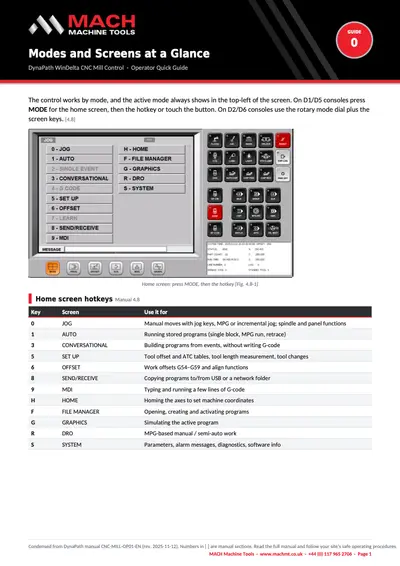
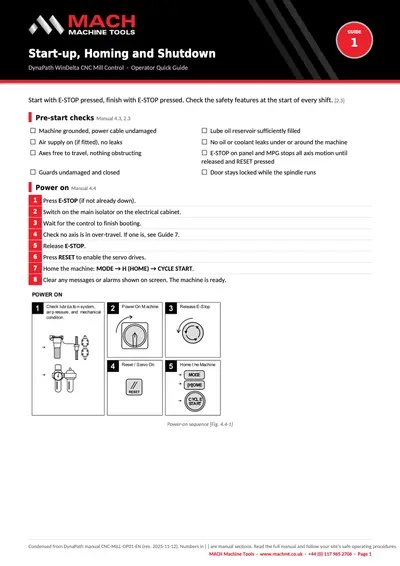
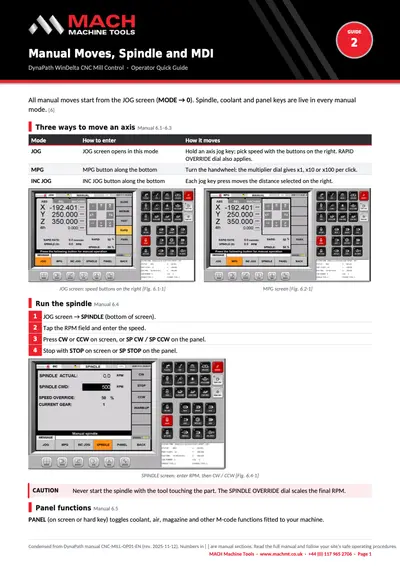
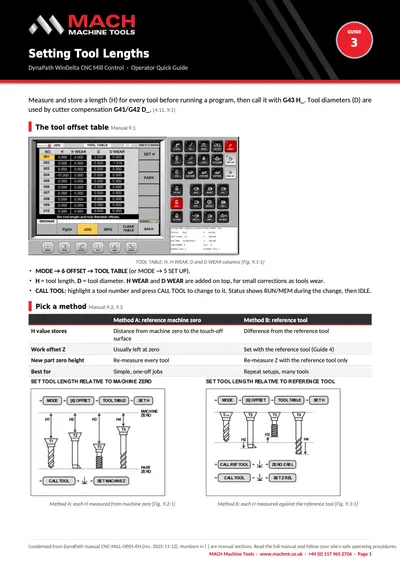
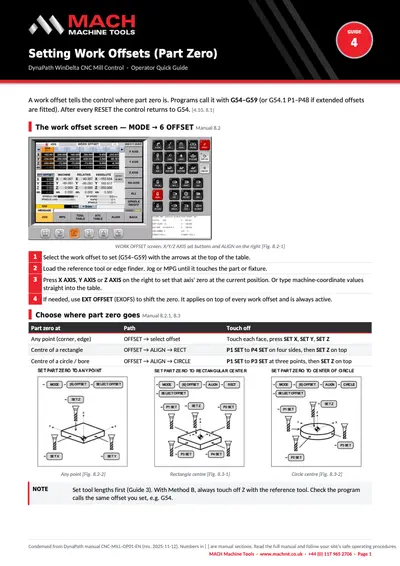
Modes and screens, start-up and shutdown, manual moves and MDI, tool lengths, work offsets, running a program, and E-stop and alarms.
Show the guides
Quick guide
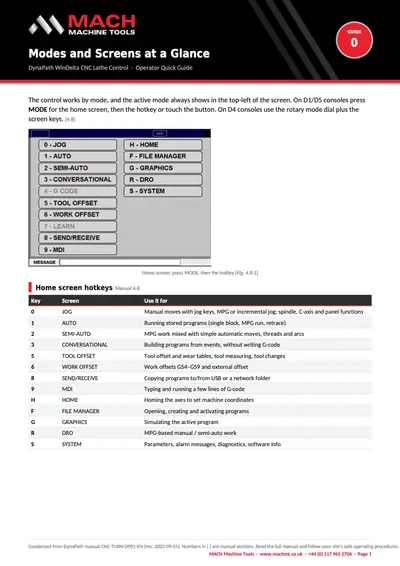
DynaPath mill guide 0: Modes and screens at a glance
Download DynaPath mill guide 0: Modes and screens at a glance (opens in a new tab)Quick guide
DynaPath mill guide 1: Start-up, homing and shutdown
Download DynaPath mill guide 1: Start-up, homing and shutdown (opens in a new tab)Quick guide
DynaPath mill guide 2: Manual moves, spindle and MDI
Download DynaPath mill guide 2: Manual moves, spindle and MDI (opens in a new tab)Quick guide
DynaPath mill guide 3: Setting tool lengths
Download DynaPath mill guide 3: Setting tool lengths (opens in a new tab)Quick guide
DynaPath mill guide 4: Setting work offsets (part zero)
Download DynaPath mill guide 4: Setting work offsets (part zero) (opens in a new tab)Quick guide
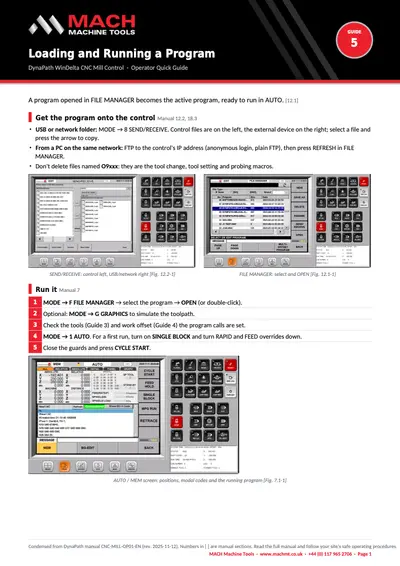
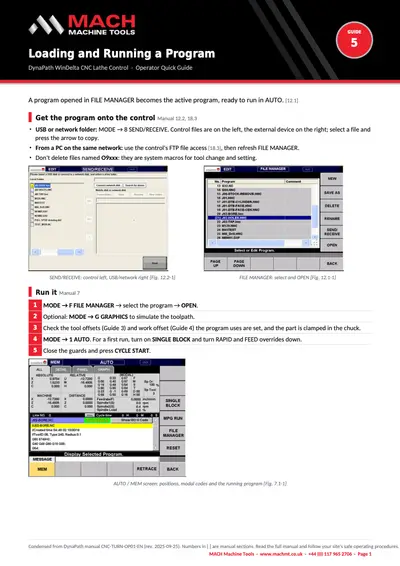
DynaPath mill guide 5: Loading and running a program
Download DynaPath mill guide 5: Loading and running a program (opens in a new tab)Quick guide
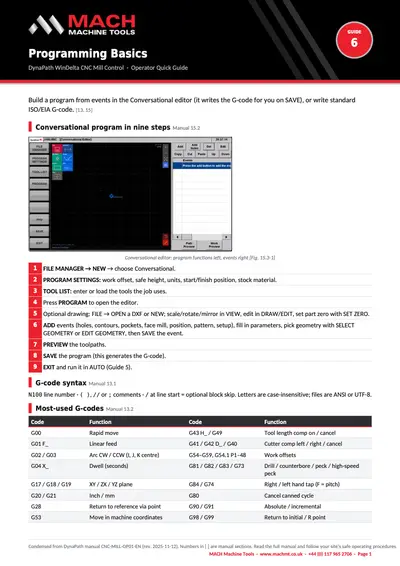
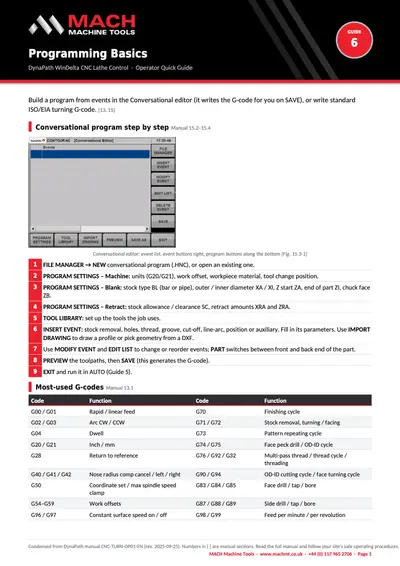
DynaPath mill guide 6: Programming basics
Download DynaPath mill guide 6: Programming basics (opens in a new tab)Quick guide
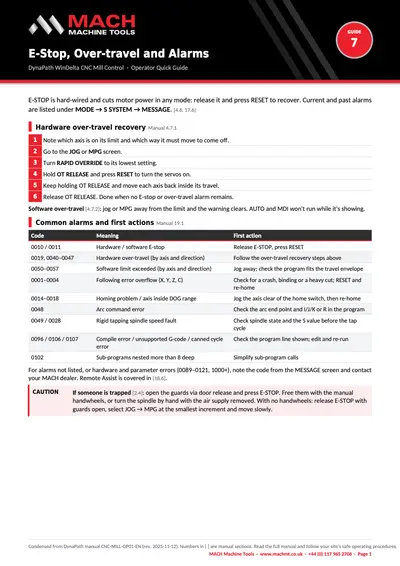
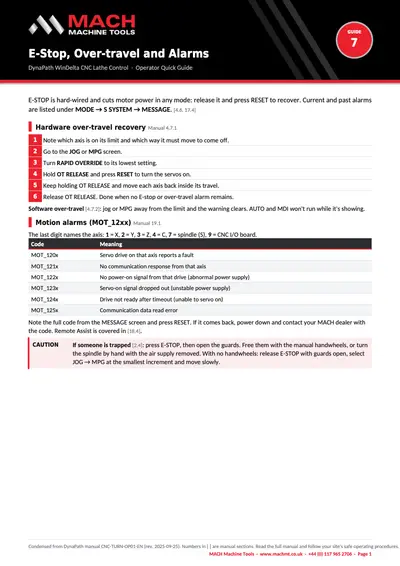
DynaPath mill guide 7: E-stop, over-travel and alarms
Download DynaPath mill guide 7: E-stop, over-travel and alarms (opens in a new tab)
Lathe: operating the machine
8 guides
Modes and screens, start-up and shutdown, manual moves and MDI, tool offsets, work offsets, running a program, and E-stop and alarms.
Show the guides
Quick guide
DynaPath lathe guide 0: Modes and screens at a glance
Download DynaPath lathe guide 0: Modes and screens at a glance (opens in a new tab)Quick guide
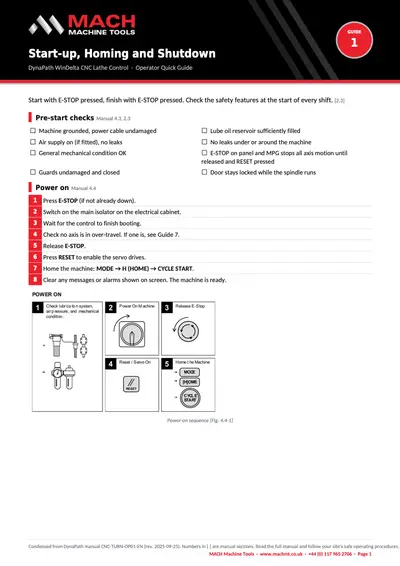
DynaPath lathe guide 1: Start-up, homing and shutdown
Download DynaPath lathe guide 1: Start-up, homing and shutdown (opens in a new tab)Quick guide
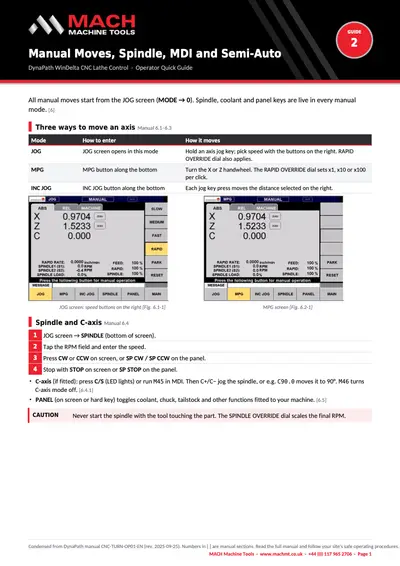
DynaPath lathe guide 2: Manual moves, spindle, MDI and semi-auto
Download DynaPath lathe guide 2: Manual moves, spindle, MDI and semi-auto (opens in a new tab)Quick guide
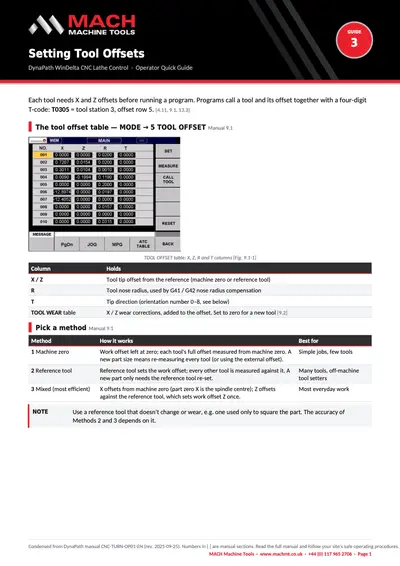
DynaPath lathe guide 3: Setting tool offsets
Download DynaPath lathe guide 3: Setting tool offsets (opens in a new tab)Quick guide
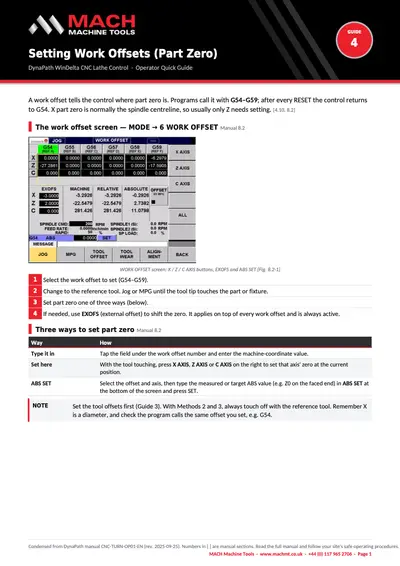
DynaPath lathe guide 4: Setting work offsets (part zero)
Download DynaPath lathe guide 4: Setting work offsets (part zero) (opens in a new tab)Quick guide
DynaPath lathe guide 5: Loading and running a program
Download DynaPath lathe guide 5: Loading and running a program (opens in a new tab)Quick guide
DynaPath lathe guide 6: Programming basics
Download DynaPath lathe guide 6: Programming basics (opens in a new tab)Quick guide
DynaPath lathe guide 7: E-stop, over-travel and alarms
Download DynaPath lathe guide 7: E-stop, over-travel and alarms (opens in a new tab)
Mill: conversational programming
13 guides
One guide per event: holes, contours, helix, thread milling, chamfers, pockets, face milling, patterns, engraving and the DXF drawing editor.
Show the guides
Quick guide
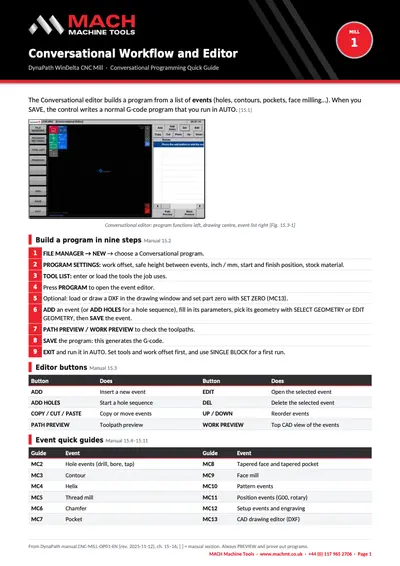
Mill conversational 1: Conversational workflow and editor
Download Mill conversational 1: Conversational workflow and editor (opens in a new tab)Quick guide
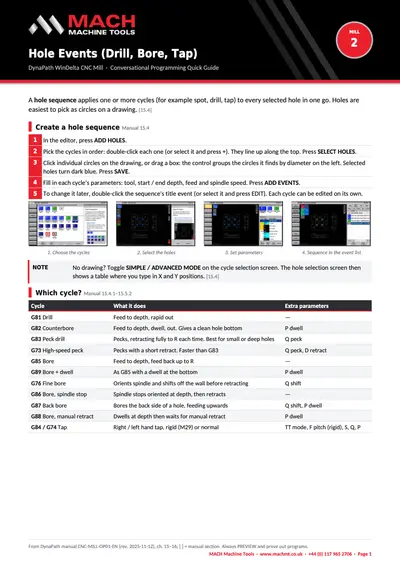
Mill conversational 2: Hole events (drill, bore, tap)
Download Mill conversational 2: Hole events (drill, bore, tap) (opens in a new tab)Quick guide
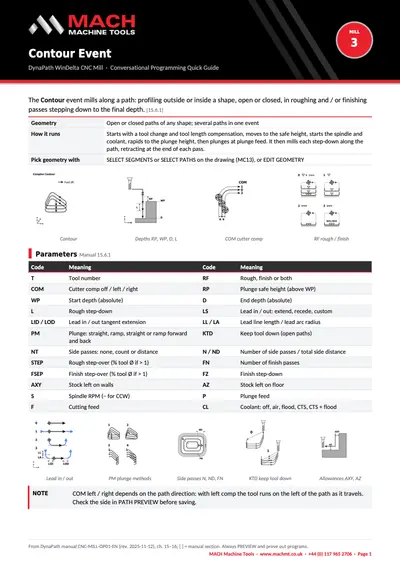
Mill conversational 3: Contour event
Download Mill conversational 3: Contour event (opens in a new tab)Quick guide
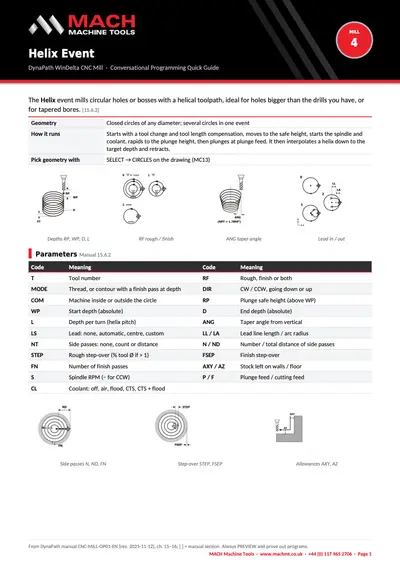
Mill conversational 4: Helix event
Download Mill conversational 4: Helix event (opens in a new tab)Quick guide
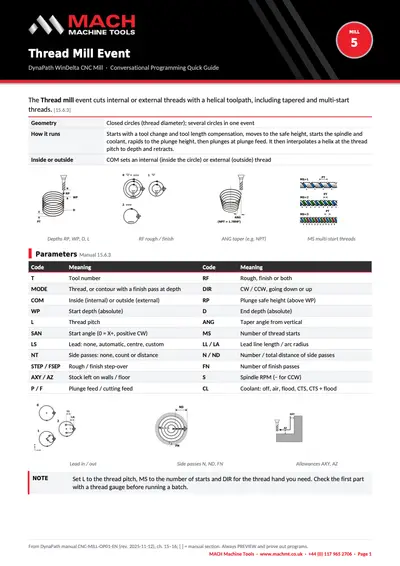
Mill conversational 5: Thread mill event
Download Mill conversational 5: Thread mill event (opens in a new tab)Quick guide
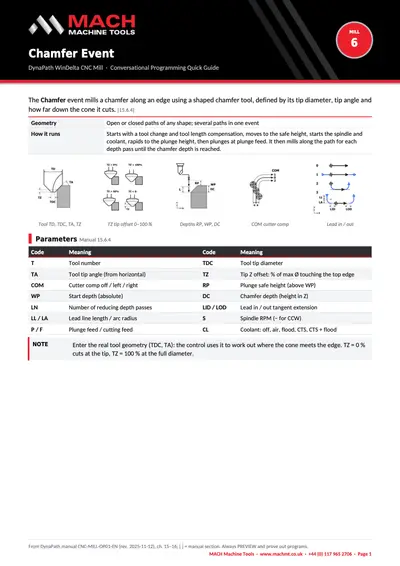
Mill conversational 6: Chamfer event
Download Mill conversational 6: Chamfer event (opens in a new tab)Quick guide
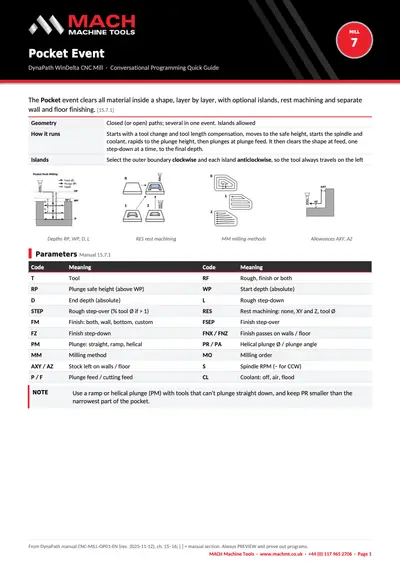
Mill conversational 7: Pocket event
Download Mill conversational 7: Pocket event (opens in a new tab)Quick guide
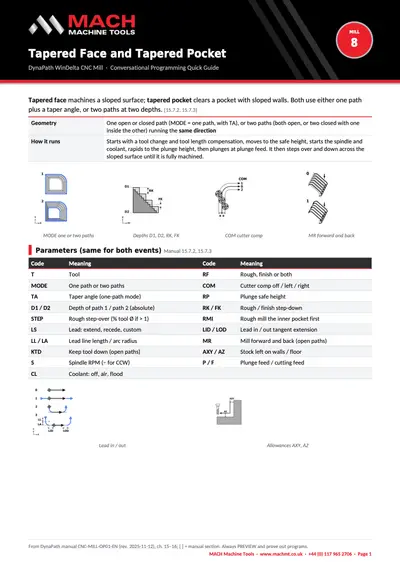
Mill conversational 8: Tapered face and tapered pocket
Download Mill conversational 8: Tapered face and tapered pocket (opens in a new tab)Quick guide
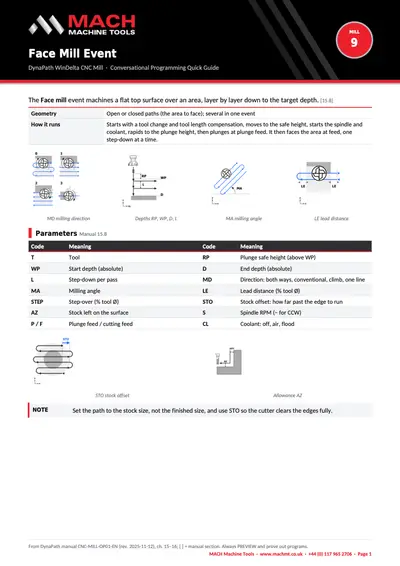
Mill conversational 9: Face mill event
Download Mill conversational 9: Face mill event (opens in a new tab)Quick guide
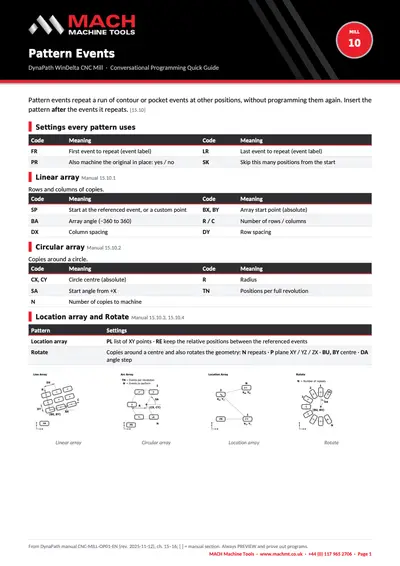
Mill conversational 10: Pattern events
Download Mill conversational 10: Pattern events (opens in a new tab)Quick guide
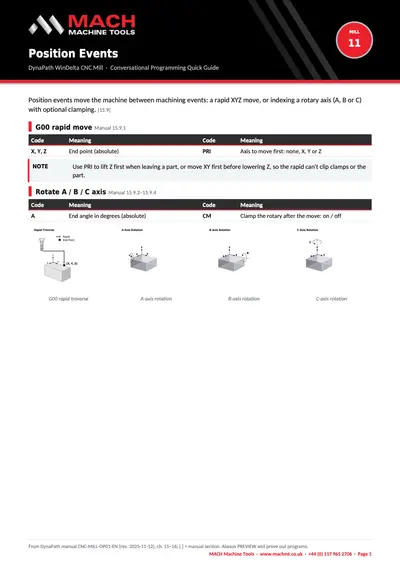
Mill conversational 11: Position events
Download Mill conversational 11: Position events (opens in a new tab)Quick guide
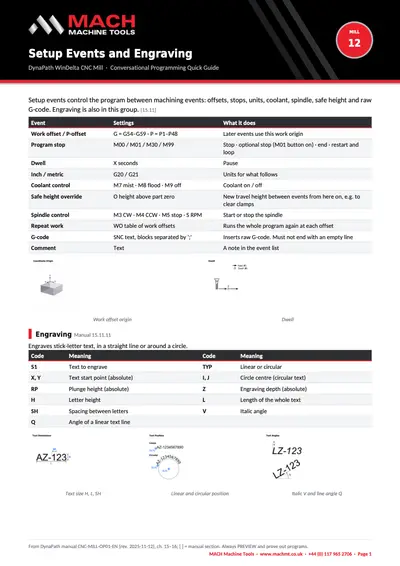
Mill conversational 12: Setup events and engraving
Download Mill conversational 12: Setup events and engraving (opens in a new tab)Quick guide
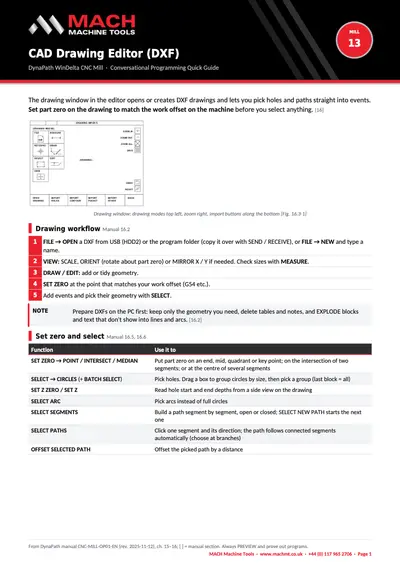
Mill conversational 13: CAD drawing editor (DXF)
Download Mill conversational 13: CAD drawing editor (DXF) (opens in a new tab)
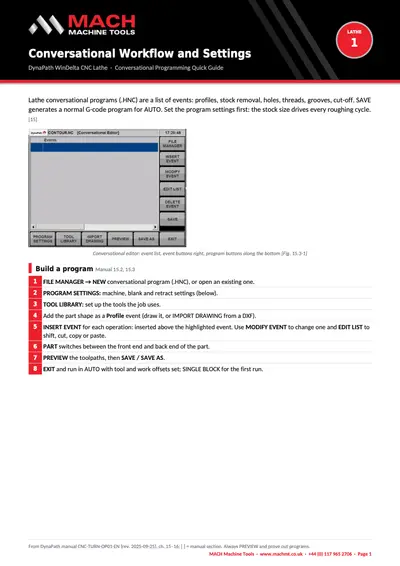
Lathe: conversational programming
14 guides
Profiles, stock removal cycles, turning and facing, holes, threads, grooves, cut-off and DXF drawing import.
Show the guides
Quick guide
Lathe conversational 1: Conversational workflow and settings
Download Lathe conversational 1: Conversational workflow and settings (opens in a new tab)Quick guide
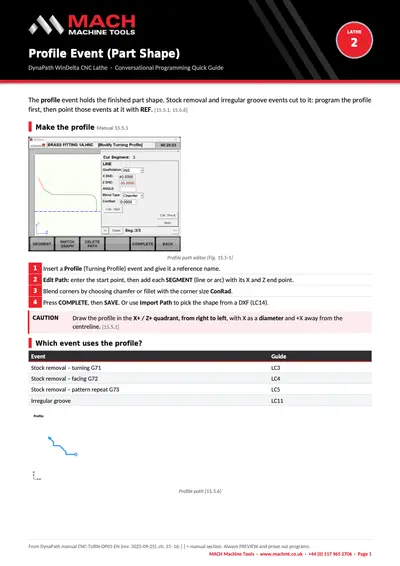
Lathe conversational 2: Profile event (part shape)
Download Lathe conversational 2: Profile event (part shape) (opens in a new tab)Quick guide
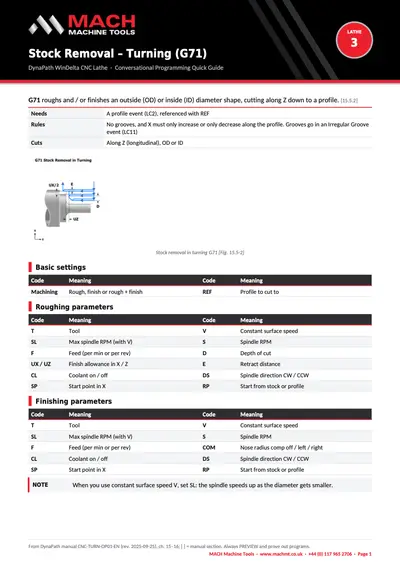
Lathe conversational 3: Stock removal – turning (G71)
Download Lathe conversational 3: Stock removal – turning (G71) (opens in a new tab)Quick guide
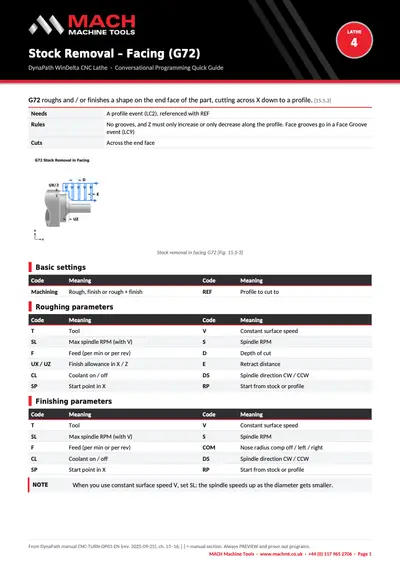
Lathe conversational 4: Stock removal – facing (G72)
Download Lathe conversational 4: Stock removal – facing (G72) (opens in a new tab)Quick guide
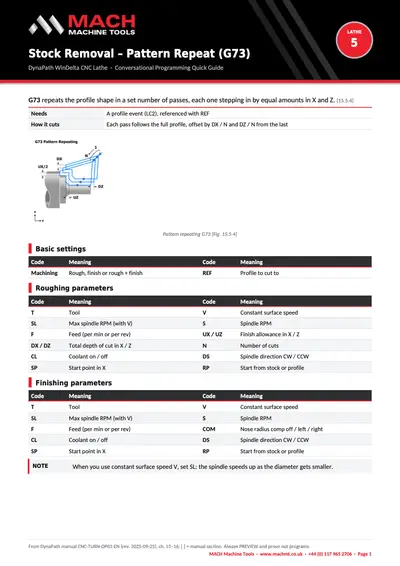
Lathe conversational 5: Stock removal – pattern repeat (G73)
Download Lathe conversational 5: Stock removal – pattern repeat (G73) (opens in a new tab)Quick guide
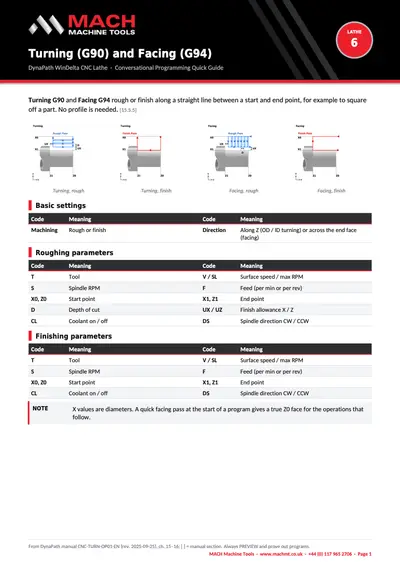
Lathe conversational 6: Turning (G90) and facing (G94)
Download Lathe conversational 6: Turning (G90) and facing (G94) (opens in a new tab)Quick guide
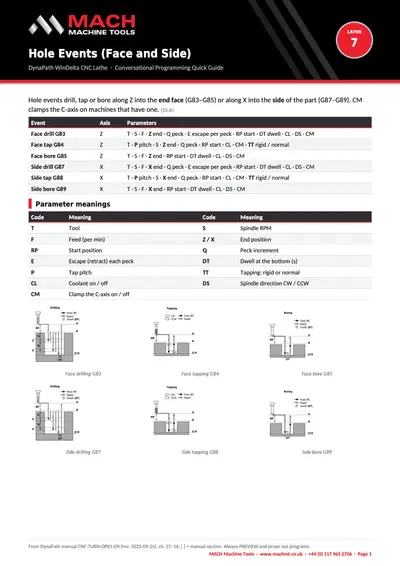
Lathe conversational 7: Hole events (face and side)
Download Lathe conversational 7: Hole events (face and side) (opens in a new tab)Quick guide
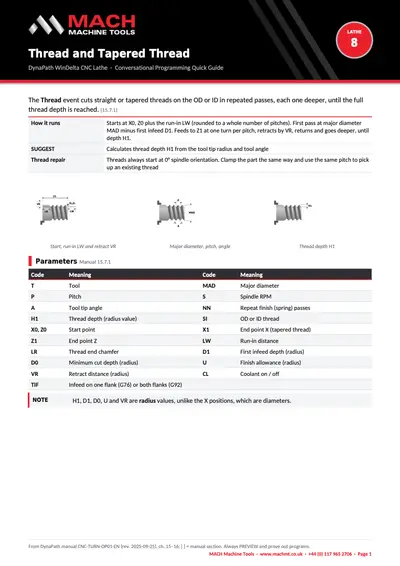
Lathe conversational 8: Thread and tapered thread
Download Lathe conversational 8: Thread and tapered thread (opens in a new tab)Quick guide
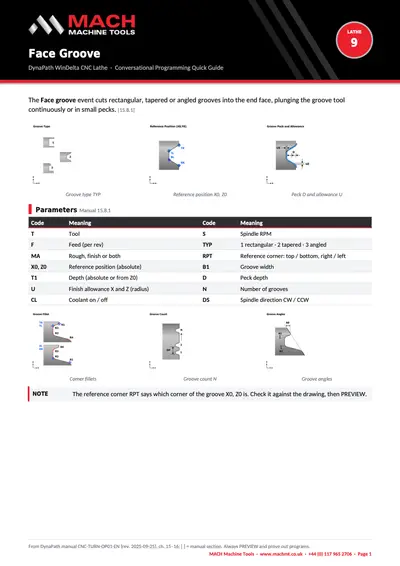
Lathe conversational 9: Face groove
Download Lathe conversational 9: Face groove (opens in a new tab)Quick guide
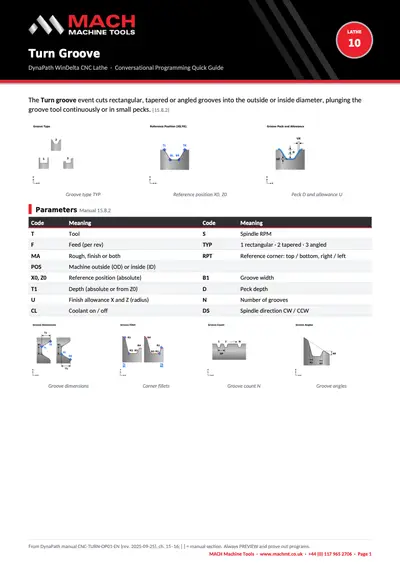
Lathe conversational 10: Turn groove
Download Lathe conversational 10: Turn groove (opens in a new tab)Quick guide
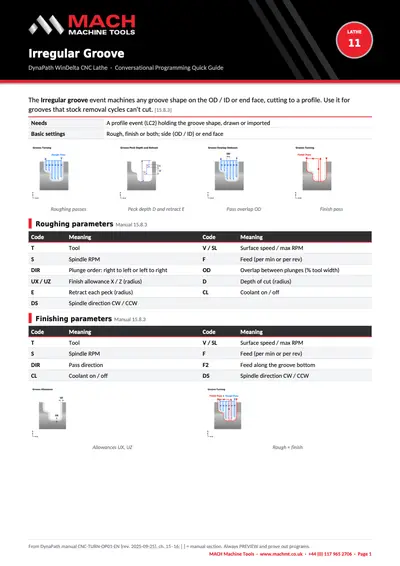
Lathe conversational 11: Irregular groove
Download Lathe conversational 11: Irregular groove (opens in a new tab)Quick guide
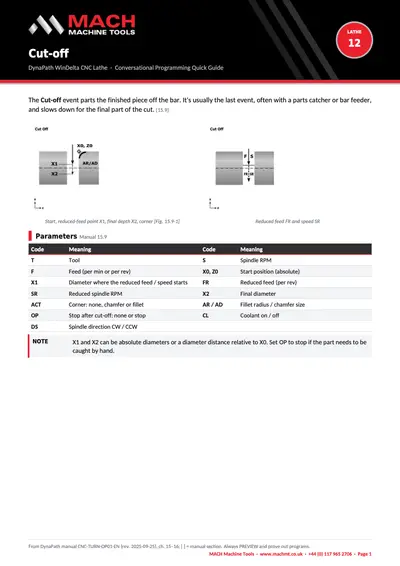
Lathe conversational 12: Cut-off
Download Lathe conversational 12: Cut-off (opens in a new tab)Quick guide
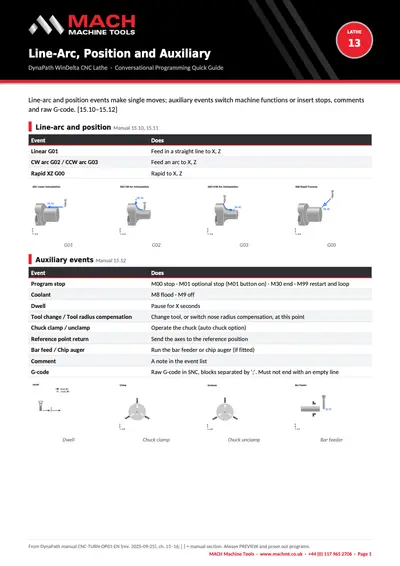
Lathe conversational 13: Line-arc, position and auxiliary
Download Lathe conversational 13: Line-arc, position and auxiliary (opens in a new tab)Quick guide
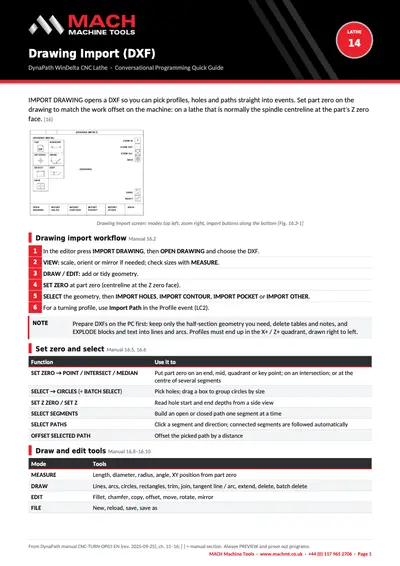
Lathe conversational 14: Drawing import (DXF)
Download Lathe conversational 14: Drawing import (DXF) (opens in a new tab)
Quick guide
MACH VS-1 quick start guide
MACH VS-1
Need help with your machine?
Tell us your machine and what's happening, and we'll get the right engineer on it.
Make enquiry